Directions to join a School Board Meeting Microsoft Teams meeting
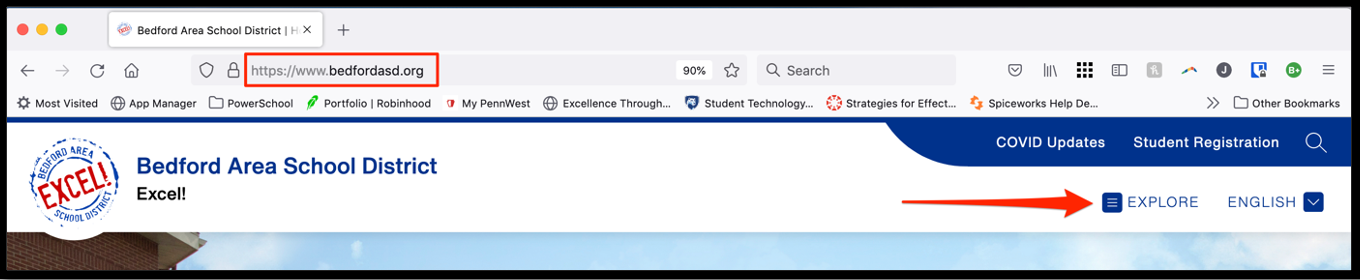
· From our website, click on “Explore”.
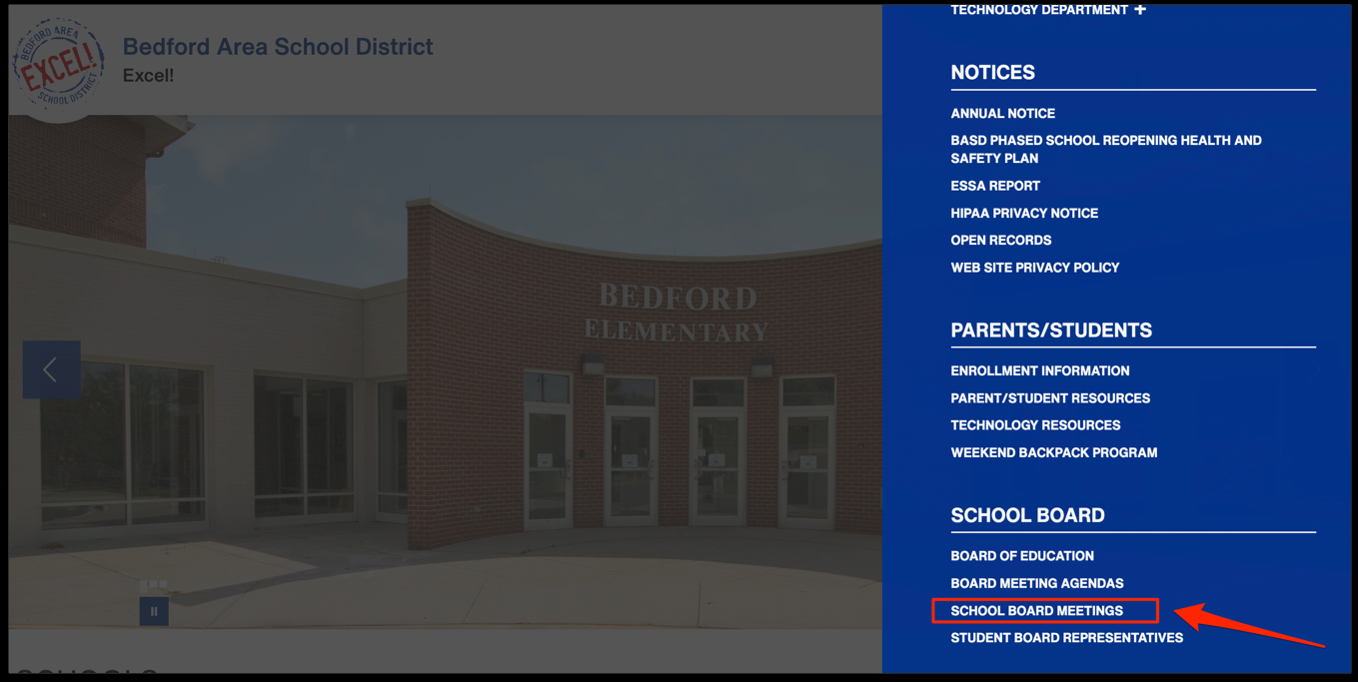
· Scroll down and click on “School Board Meetings”
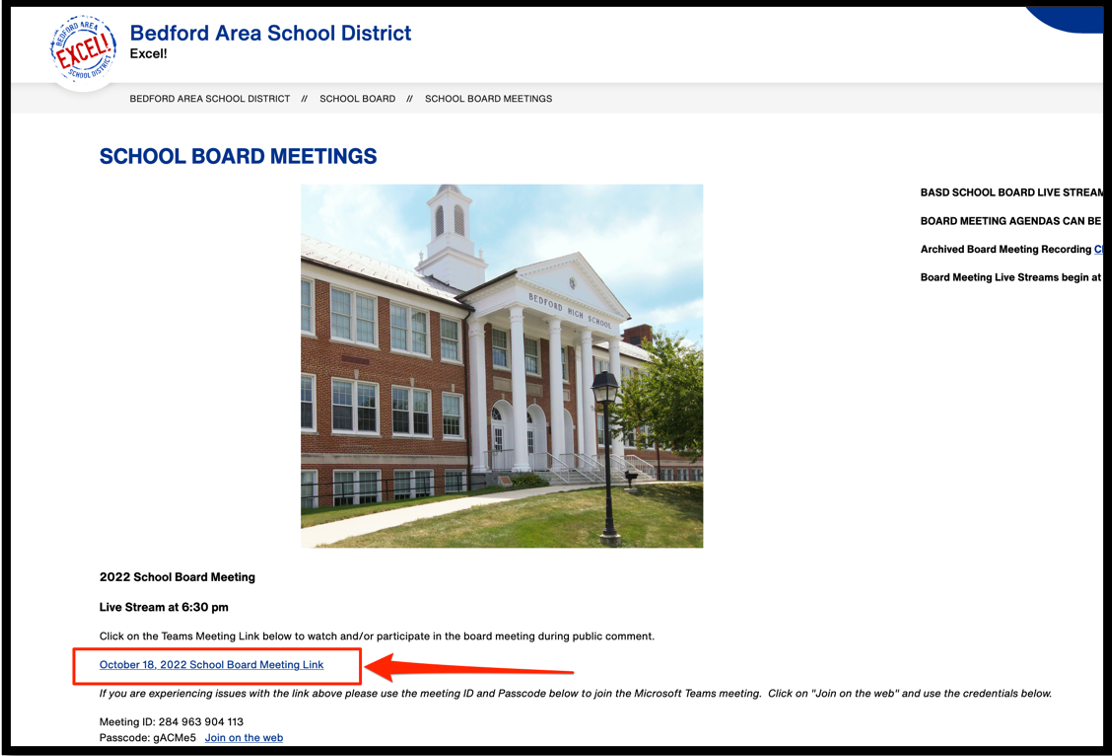
· Click on the Meeting Link
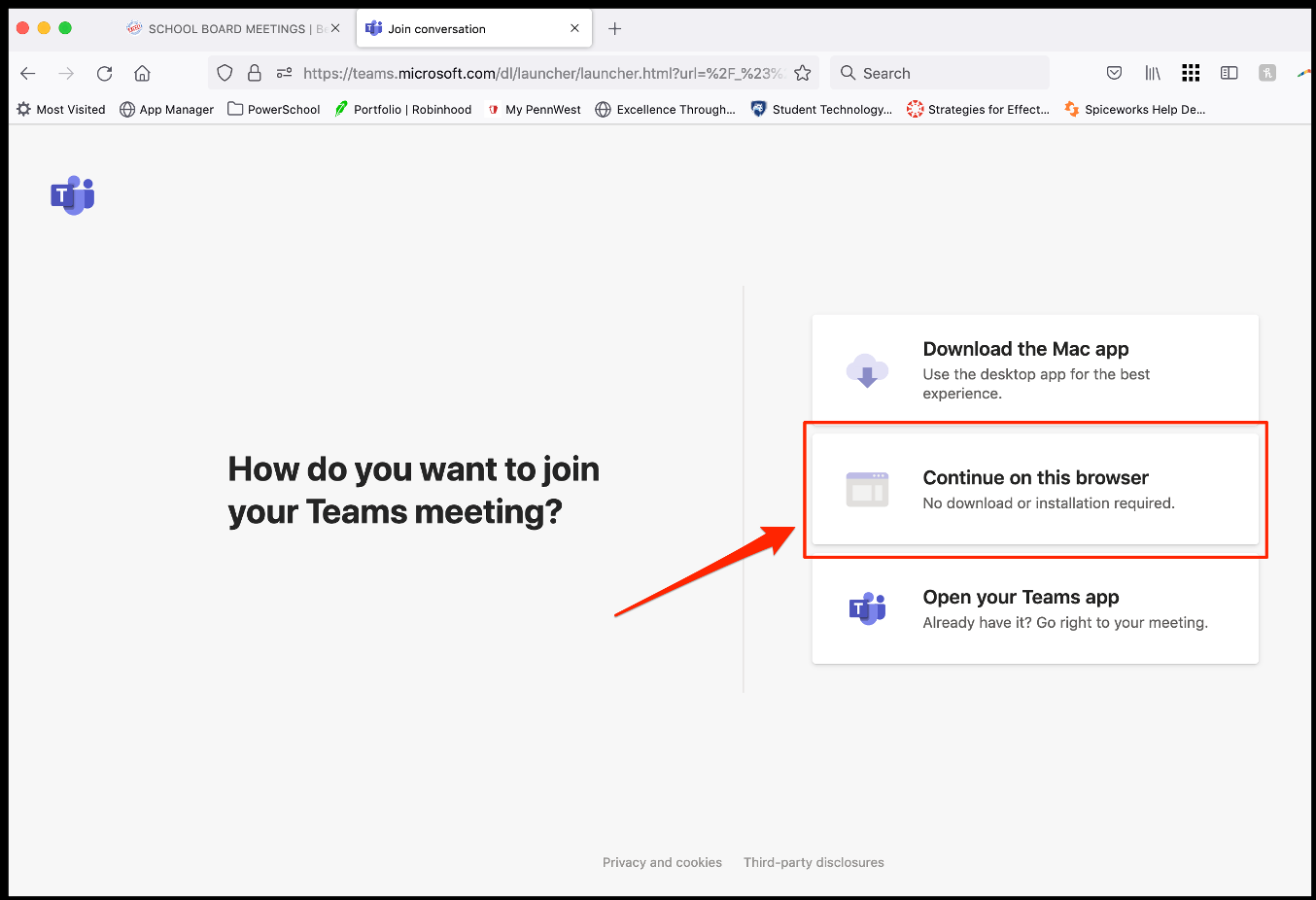
· Then a new window opens, click on “Continue on this Browser”
·
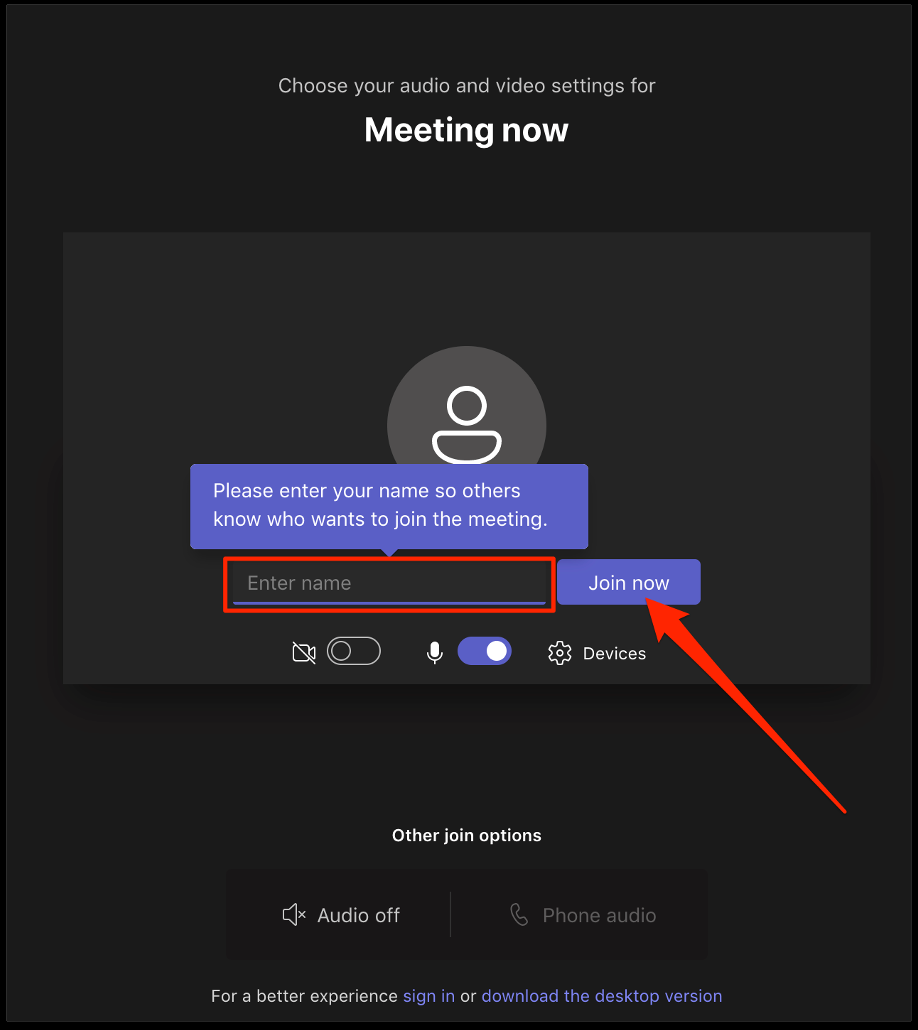
Enter your name and then click on “Join Now”
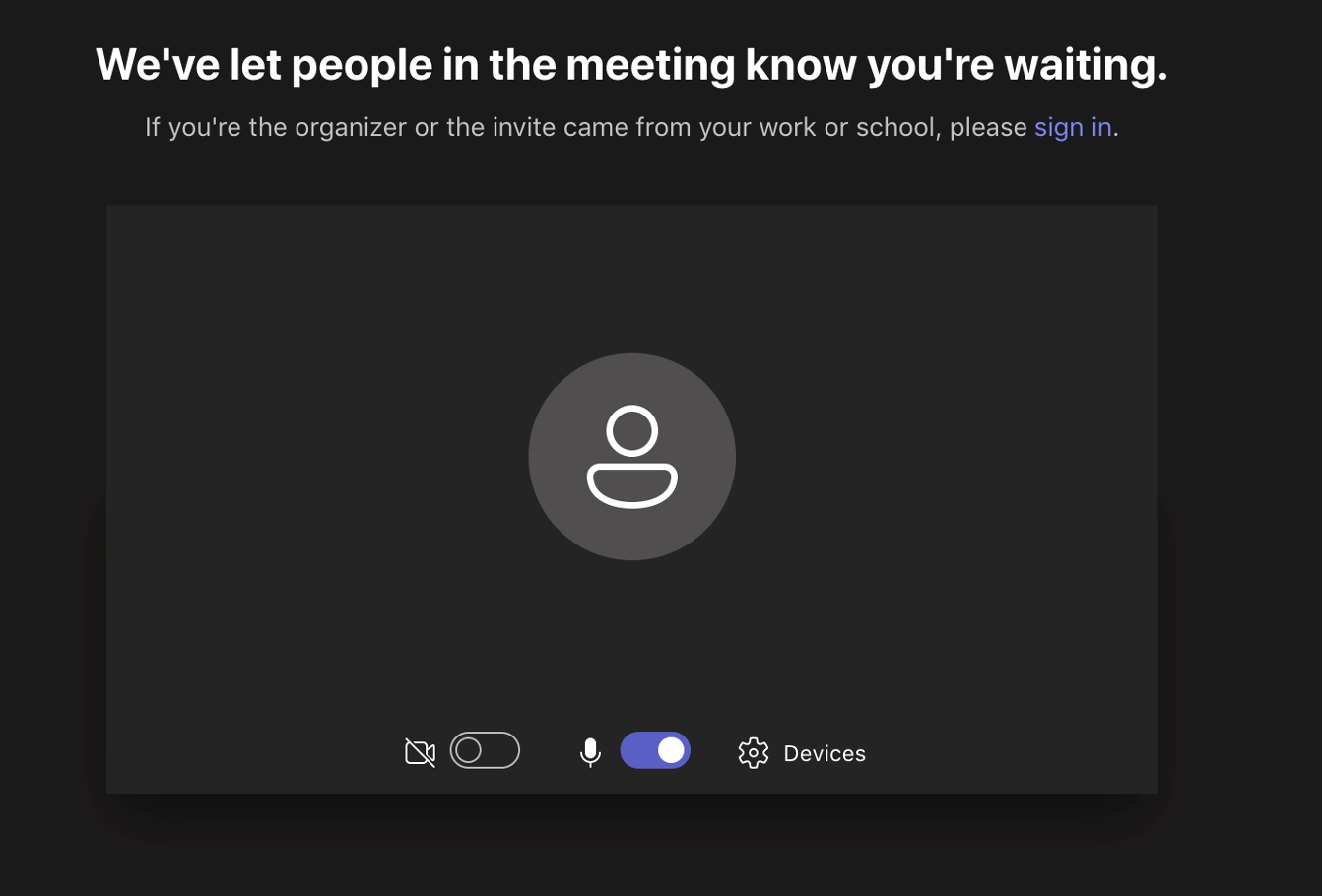
· This message should appear and then the moderator will allow you into the meeting.