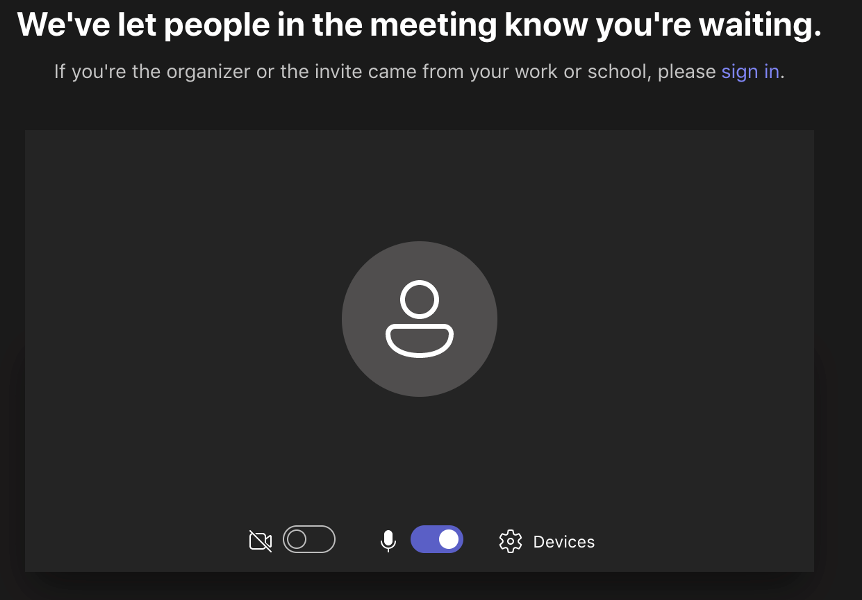
Watch a School Board Meeting using Microsoft Teams with a meeting ID and Passcode.
These are directions to join our Microsoft Teams School Board meeting using a meeting ID and passcode.
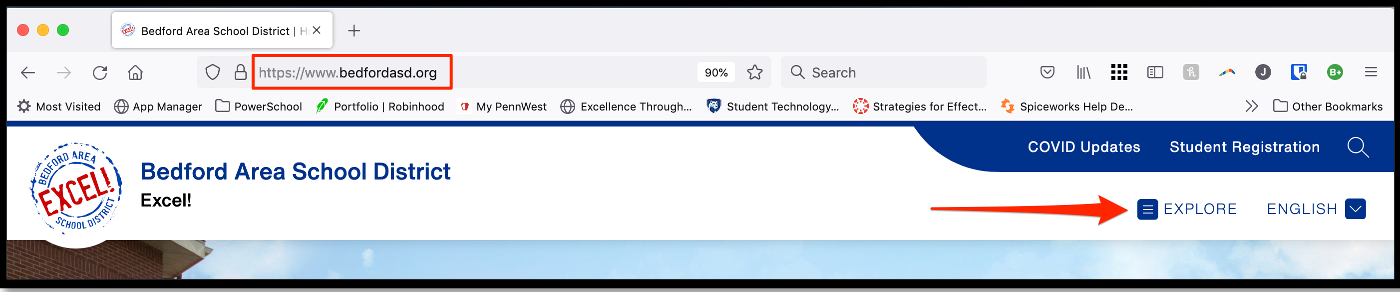
· From our website, click on “Explore”.
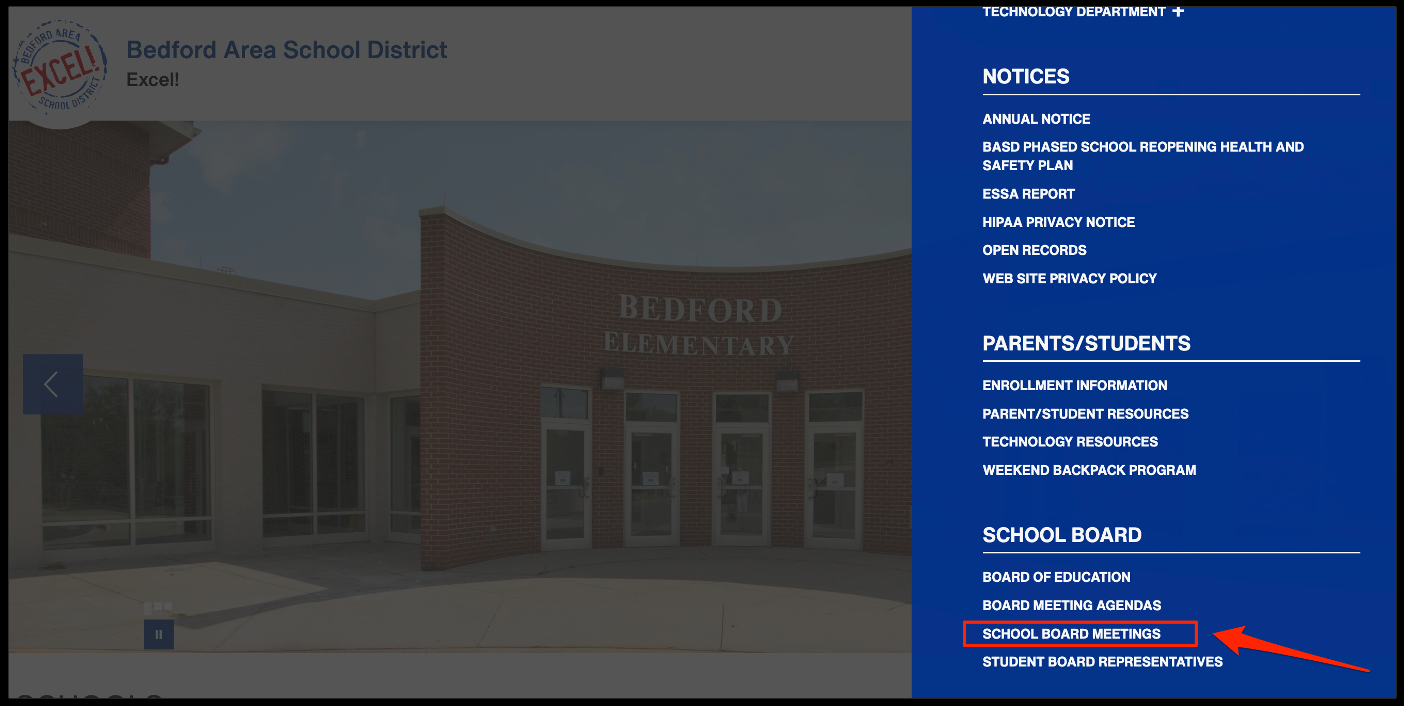
· Scroll down and click on “School Board Meetings”
· Click on “Join on the web”
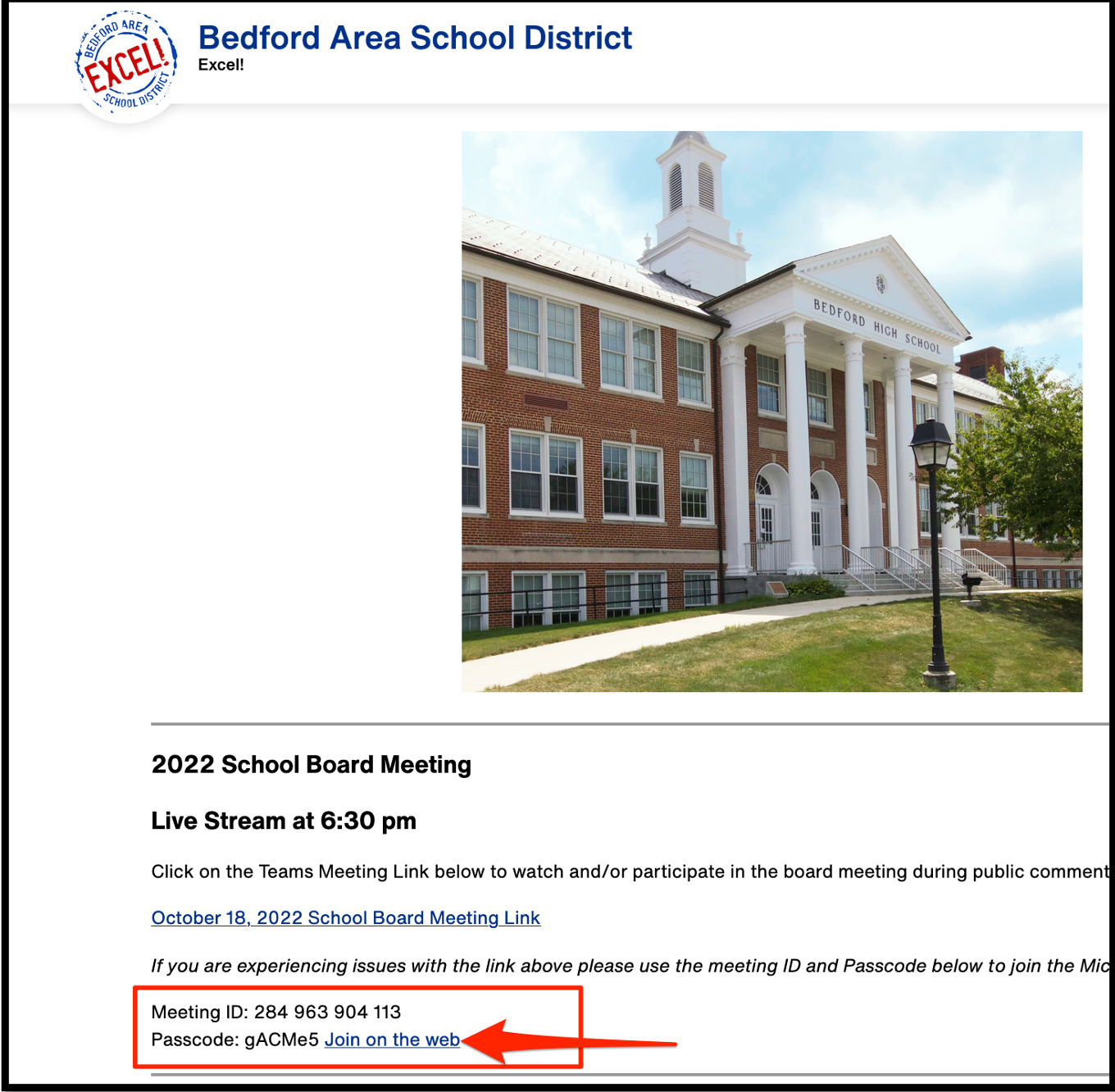
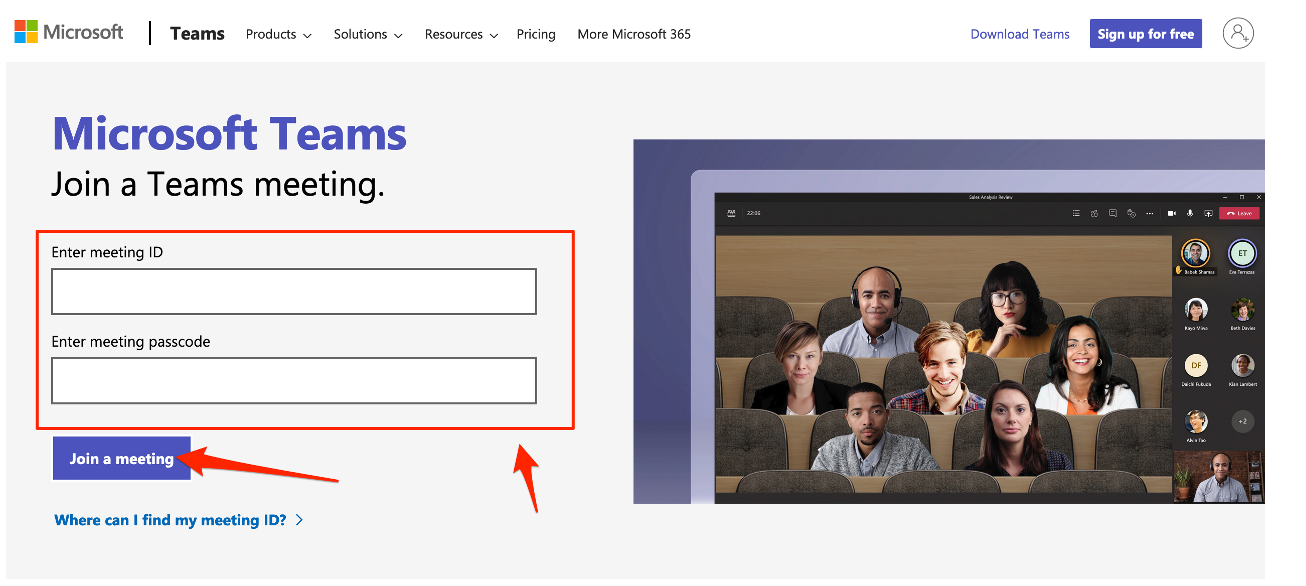
· Enter the meeting ID and Passcode and click “Join a Meeting”.
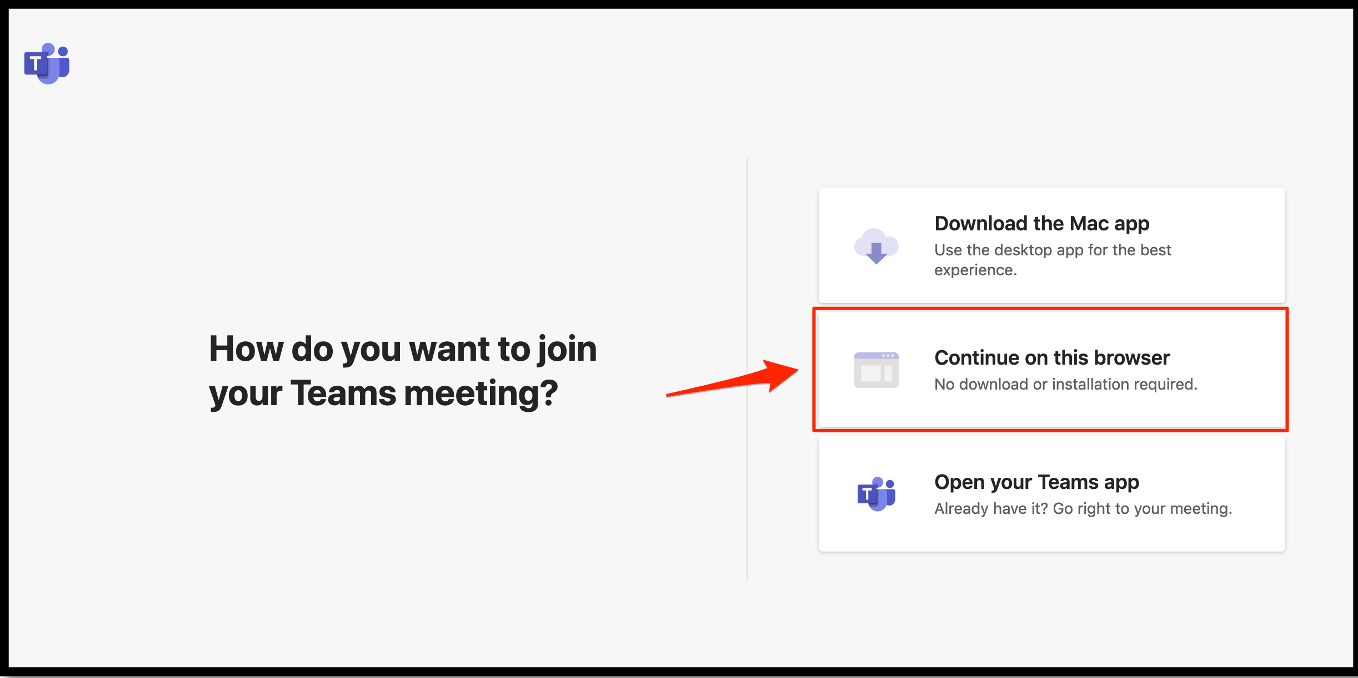
· Then click on "continue on this browser"
· Then click on “join now”
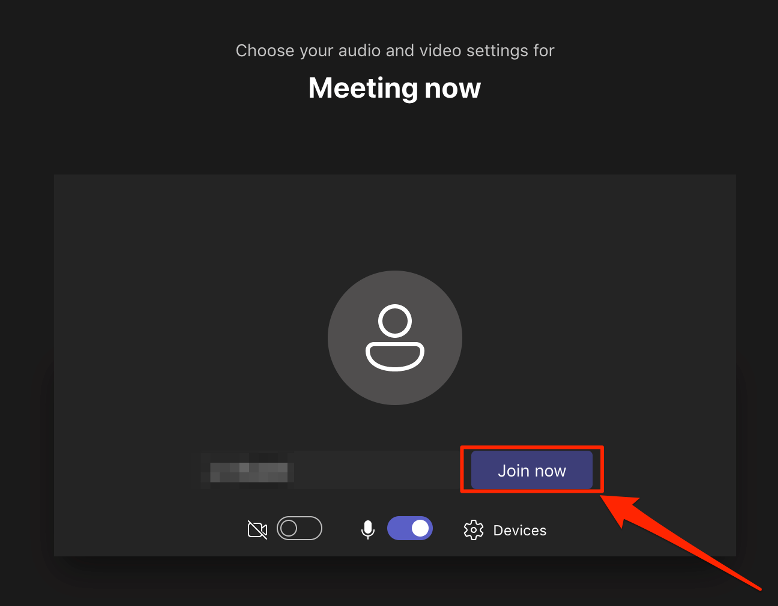
· Then you will be in the waiting room until the moderator lets you in.