
Schoology
Below are instructions to set up a parent account.
Parents, welcome to Schoology! The Bedford Area School District uses Schoology, a Learning Management System that offers course management, mobile learning, and a communication hub in one integrated platform. Bedford teachers and students use this resource, giving parents valuable insight into their child's education.
Before following the directions below, please make sure you obtain a Student Access Code from your school’s office.
Your parent account provides you with a view of your child’s:
Courses
Activities
Assignments
Grades
Calendars
Groups
Updates
Directions to set up your parent account.
1. In your browser, navigate to https://app.schoology.com/register.php.
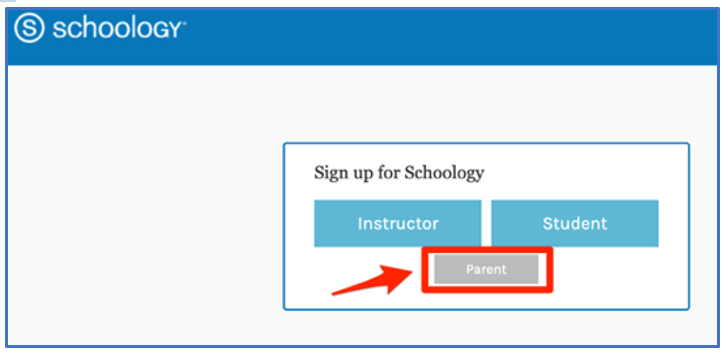
2. Then click on “Parent.
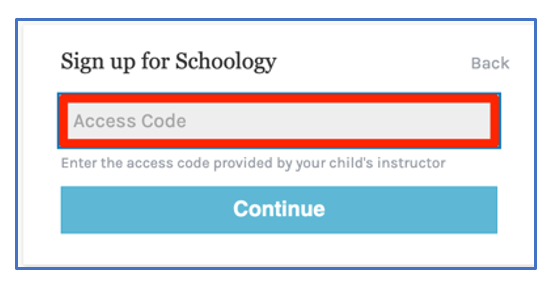
3. Every student has a unique Parent Access Code. Your child’s code can be obtained by contacting your child’s school office:
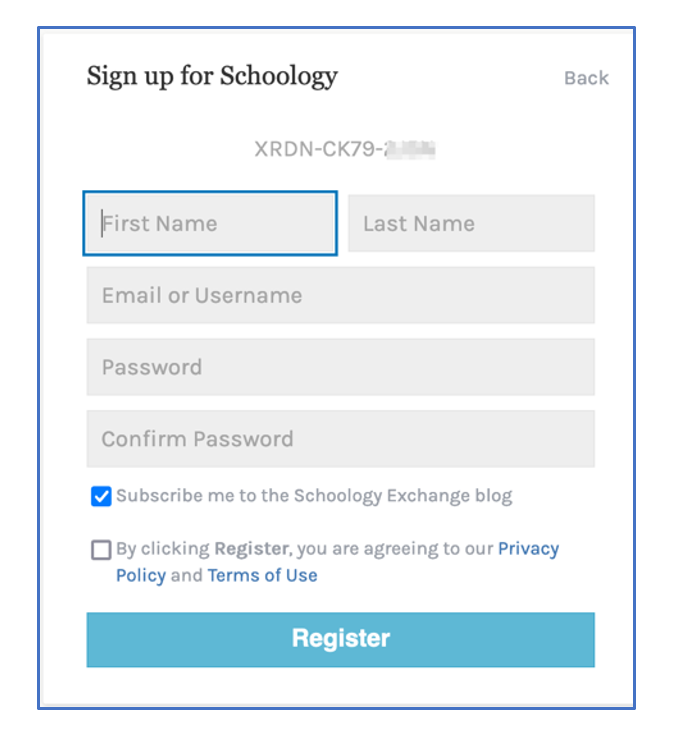
4. Enter your name, email address, and password.
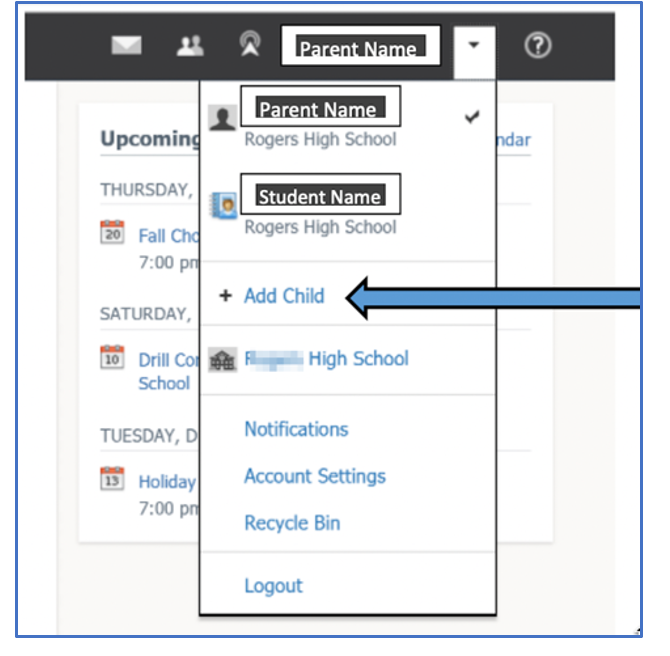
Once you log in, you can browse your child’s activities by selecting your child’s name from the top right dropdown.
You also have the option to associate additional children with this account. To do this, click the down-arrow on the top right of your Schoology account, select Add Child, and enter the Parent Access Code for your other child/children.
If you have any questions, please let us know.
*Please know that if you share this unique Parent Access Code with someone else, that individual will have access to your student’s educational records in Schoology.
Once your account is created, you will be able to log into Schoology at https://app.schoology.com/login